

Document management system
Find any document in seconds. Prove every record for years.
A self-hosted document management system: AI that reads and classifies every document — print, tables and handwriting — plus search, versions, approvals, retention and a full audit trail, on your own server.
In short
What is HeyDocs?
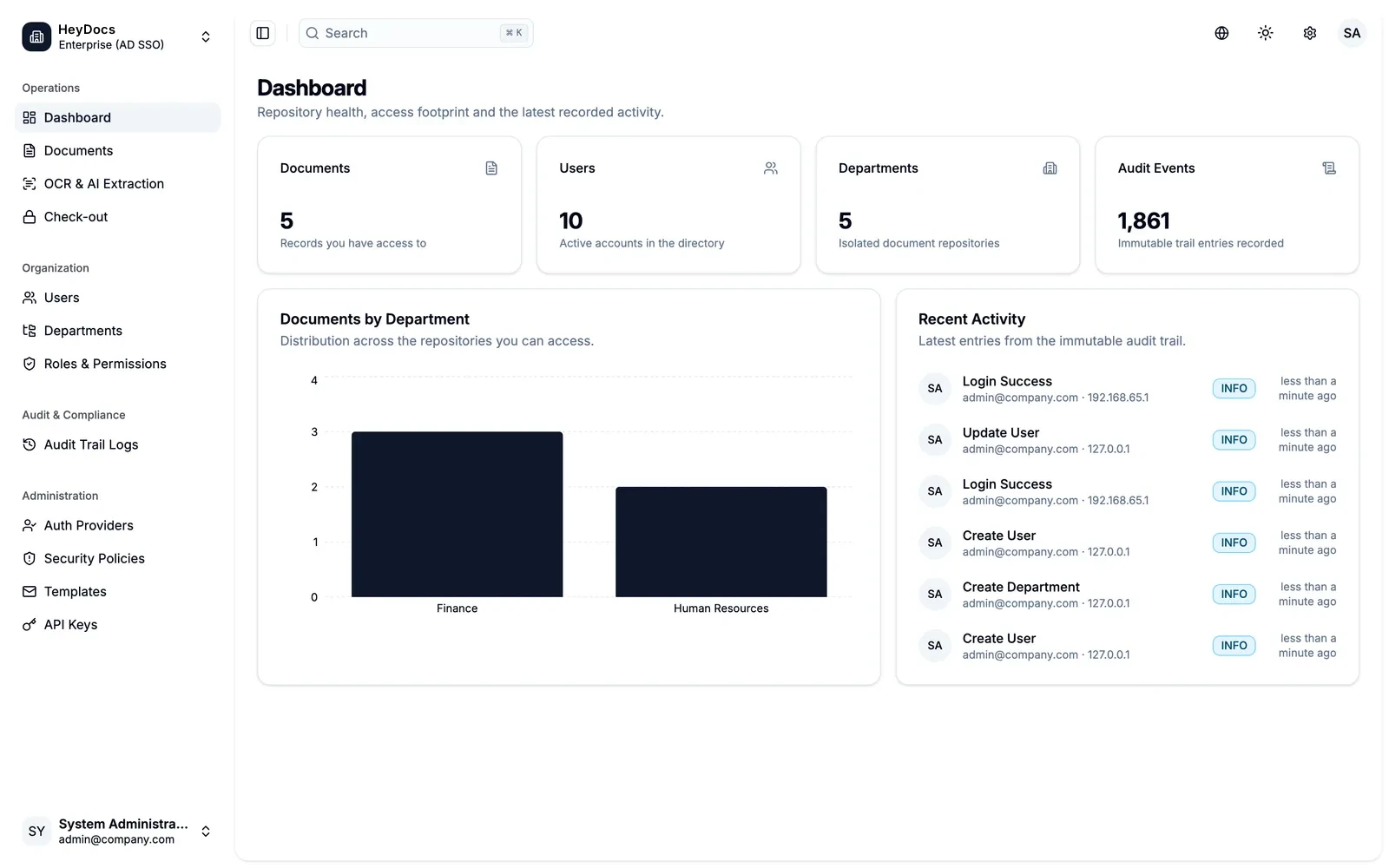
HeyDocs is a self-hosted document management system (DMS) from HeySheep. Its AI reads every document — printed, tables and handwriting — classifies it by type and fills its index fields on your own server. Then it finds records in seconds, runs approvals, keeps archived records unchanged for their retention period and logs every action.
- AI classification
- Reads handwriting
- Self-hosted — works offline
- No per-page fees
The problem
Your records deserve more than a shared drive.
Invoices, contracts and HR files are scattered across shared drives, inboxes and cabinets. Nobody can find the signed version, access leaks between departments, records are kept forever or lost by accident — and when the auditor asks for forty samples, someone loses a week.
Who it's for
Finance and AP teams, HR and HR outsourcers, legal and corporate secretarial, logistics and aviation, financial institutions and the public sector — any team that must prove what a record said and who touched it.
What it does today
Built, shipped, working.
Reads anything — print, tables & handwriting
Drag in one file or a whole batch: PDFs, scans, phone photos, Word and Excel. A vision-language page reader (PaddleOCR-VL) reads faxes, receipts, tables, Chinese forms and handwritten notes; Tesseract handles clean scans. All on your own server.
AI document classification
Drop in a batch and AI sorts it — invoice, contract, HR file — by learning from your team's own confirmed examples, so it knows your document types, not someone else's. A person confirms before anything is filed.
AI extraction into your fields
AI fills each document type's own index fields — supplier, amount, dates, references — from the page, and gets better from the values your team keeps.
Zonal capture, barcodes & QR
Draw a box once and HeyDocs reads the text, number, barcode or QR code in that spot on every page of the layout — 1D barcodes, QR, DataMatrix, PDF417 and Aztec.
Find anything in seconds
Full-text search across every page, filters on any index field and saved searches — or search by meaning, in plain English, and get a filter you can edit.
Versions without the chaos
Check out to edit, check in with a remark: every version is kept and nobody overwrites anyone. Annotate, rotate and add pages in the browser.
Reviews, approvals & forms
Maker-checker review per document type, multi-step approvals and automated flows. Forms collect answers that are filed as records.
Records that stay true
Archived records can't be changed. Retention periods per document type, legal hold, and integrity checks that re-hash every file on a schedule.
Walls between departments
Department walls, roles and five clearance levels — a record you can't see doesn't exist for you. Staff sign in with Active Directory, with two-factor login.
Audit-ready in one export
Paste the auditor's sample list and get one signed, foldered package: each item with its related documents and approval history, and a manifest anyone can verify.
Security & data
Built to be trusted with your records.
- Self-hosted: your server, your network
- Works with the internet switched off
- OCR, handwriting reading and AI classification run locally — no per-page fees
- Three-layer audit trail, always on
- Department walls and five clearance levels
- Signed export packages anyone can verify
- Encrypted off-site backups, checked weekly
Part of the ecosystem
HeyDocs works with the rest of your stack.
AI assistant connector
LiveAssistants find, read and trace records as the signed-in person; risky actions wait for approval in HeyDocs
REST API
LiveEach API key acts as its own service user, with its own role, department and clearance
Active Directory · LDAP
LiveStaff sign in with their company accounts
CSV & Excel import
LiveBring records and index data across with auto-mapping and a dry run
FAQ
Questions, answered.
What is a document management system?
A document management system (DMS) captures, organises, secures and tracks a business's documents and records in one place — with search, versions, access rights, approvals, retention rules and an audit trail. HeyDocs is HeySheep's DMS, and it runs on your own server.
Is HeyDocs cloud or on-premise?
Self-hosted. HeyDocs runs on your own server or private cloud, and so do its OCR and AI. The licence is checked offline, so it keeps working with no internet connection, and there are no per-page OCR or AI fees.
How is HeyDocs different from Google Drive or SharePoint?
Drives are for sharing files. HeyDocs is a records system: archived documents can't be changed, every view, change and approval is logged, departments are walled off from each other, and each document type has its own retention period.
Can HeyDocs help with an audit?
Yes. Search a period, or paste the auditor's sample list. HeyDocs builds one package: a folder per item with its related documents and approval history, an index that reconciles found and missing items, and a signed manifest the auditor can check.
How long does HeyDocs keep records?
As long as you set. Each document type has its own retention period, counted from filing or scan date — for example five years for invoices, in line with Singapore's record-keeping rules. Legal hold keeps a record past that.
Does HeyDocs help with PDPA?
It gives you the controls PDPA expects over documents that hold personal data: access limited by department and clearance level, every view and download logged with who and when, watermarked downloads, and retention per document type.
Can HeyDocs show every document for a supplier, customer or employee?
Yes. Each supplier, customer or employee gets one page with every linked document, what's valid or expiring, and a timeline of what happened.
Can HeyDocs classify documents automatically?
Yes. Drop in a batch and HeyDocs' AI suggests each document's type — invoice, contract, HR file and so on — by learning from your team's own confirmed examples (a few per type to start). A person confirms, and every correction makes the next suggestion better.
Can HeyDocs read handwriting?
Yes. HeyDocs includes a vision-language page reader, PaddleOCR-VL, that reads handwritten as well as printed text — along with tables, receipts and faxes — on your own server. How well it reads depends on the writing, so we test it on your own samples in the demo.
Does HeyDocs read barcodes and QR codes?
Yes. Zonal capture reads text, numbers, 1D barcodes and 2D codes (QR, DataMatrix, PDF417, Aztec) from the same spot on every page of a layout.
Does HeyDocs read Chinese documents?
Yes. The interface is in English and Chinese, and its local OCR reads scanned pages — including Chinese forms — as well as Vietnamese, without sending them anywhere.
Is HeyDocs the same product as xDocs?
Yes. xDocs is now HeyDocs — the same records system with a new name, part of the Hey family alongside HeyInvoice and HeyShop.
Other products

AI agents for finance, sales, HR and customer service — on a box inside your company. No tokens, no usage bills.

Send and receive e-invoices, credit notes and purchase orders over Singapore's InvoiceNow network, and report invoice data to IRAS under the GST InvoiceNow requirement — without replacing your accounting system.

A full e-commerce website shaped around your business — without transaction fees, app bills or a runaway development budget.
Book a HeyDocs demo.
Thirty minutes, your documents, real answers. A senior engineer replies within one business day.